01 / 07 Lyric videosVisualizers
Canva: lyric videos and quick visuals for people who design
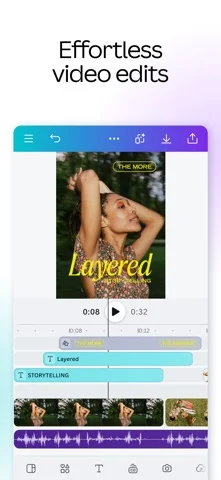
A design tool with a video editor, captions, beat sync and templates in social sizes.

Good for
- Free plan, and no watermark if you stick to free elements
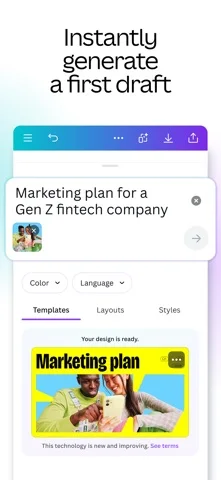
- Captions generated and styled in one click
- Templates already sized for TikTok, Reels and Shorts
- The same place you probably made the cover art
Watch out for
- Beat sync is manual on the free plan
- Pro elements on a free account add a watermark
- Template looks are easy to spot
Screenshots
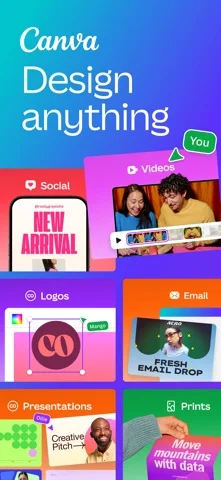
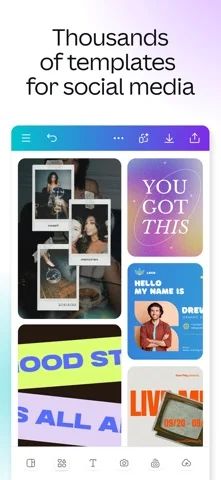
Features
- Video editor
- One-click captions
- Beat sync
- Social size templates
- MP4 export
What it is
Canva is a design tool with a video editor built in. For musicians it is where cover art, release-day graphics and simple moving versions of them can live in one place.
When we would use it
For a lyric video or a visualizer that should look like your cover art. Start from your artwork, add the song, generate captions in one click, then restyle and retime them. Templates come in the vertical sizes Reels, TikTok and Shorts use. On the free plan, exports have no watermark as long as every element you use is free.
When we would not
For cutting real footage, CapCut is quicker. For lyric timing on a long track with a lot of words, Kapwing is built around subtitles. For a performer singing the song without a shoot, see Muzie.
What it costs
Free at US$0. Canva Pro is US$144 a year for one person, with a free trial. Beat sync is manual on the free plan and automatic on paid plans.
Frequently asked questions
Can I make a lyric video in Canva for free?
Yes. The free plan includes the video editor and captions, and exports carry no watermark as long as you only use free elements.
How much is Canva Pro?
Canva Pro is US$144 a year for one person on Canva's pricing page in November 2026, and there is a free trial.