
A singer on screen, without a shoot
Give it one photo and your song, and it builds a video of that person singing it, lip-synced and cut to the lyrics.
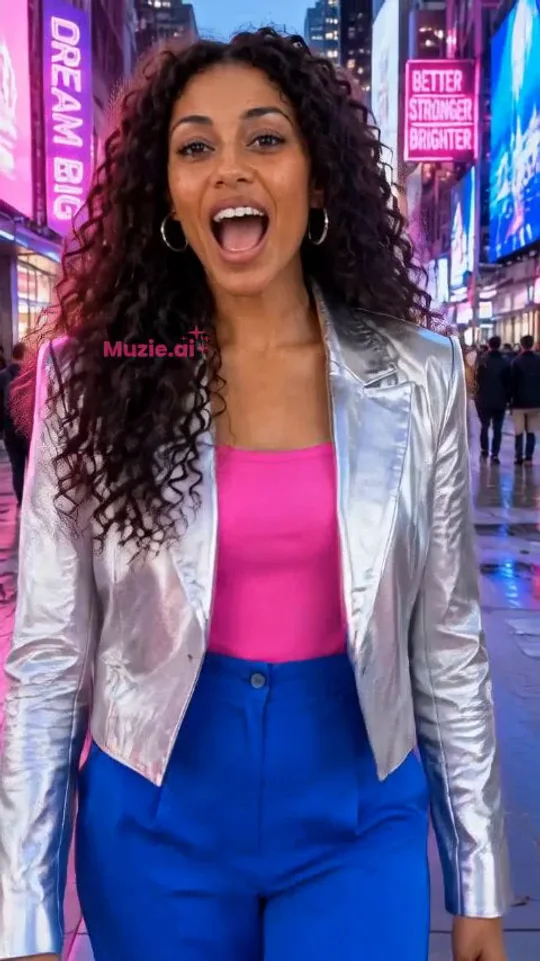
Made with Muzie
Demo videos from our own account. The singers are generated.
When we would point you to it
When the song needs someone singing it on screen and a shoot is off the table: you do not want to be filmed, the singer is not around, or release day is too close to book a day. It makes 9:16 portrait videos by default for Reels, TikTok and Shorts, or widescreen for YouTube. A lip sync mode makes a single close-up performance shot instead of a full video. The 3D music visualizers are free for everyone.
When we would not
If you can film yourself on a phone for an afternoon, do that first, using the one-afternoon plan. Generated footage looks generated. Muzie does not edit footage you shot (use CapCut or DaVinci Resolve), and it is not the tool for a lyric video you time by hand (use Canva or Kapwing).
What it costs
New accounts get a few free tokens. Monthly plans are Standard $24.99, Premium $49.99 and Ultimate $99.99, and Standard exports carry a small static watermark. One-off token packs start at $29.99 with no subscription. Prices from muzie.ai/pricing, checked 18 November 2026.
Got a photo and a finished song?
Try it on the chorus first.
Frequently asked questions
Is Muzie free?
It is free to start: new accounts get a few free tokens to try a music video, and the 3D music visualizers are free for everyone.
Does Muzie work on iPhone and Android?
Yes. Muzie runs on the web at app.muzie.ai, on iPhone and on Android.
Can I use my own song in Muzie?
Yes. You upload your own song and a photo, and Muzie makes a video of that person singing it. Only use songs and photos you have permission to use.